
Edit: Unfortunately it seems the Blindwrite website is currently down! However the principles below still apply. I guess you’ll just have to tape a bit of paper to your screen!
This blog post should be helpful for those who are given the responsibility to write church blog posts. If you’re new to blogging, you should read this church blogging advice first!
A couple of times recently, I’ve been reminded of the idea of writing without editing. There’s nothing new about this, and I’m sure it’s been written about many times before. Who knows, though, we might just discover something new here…
How to write church blog posts without stopping!
Writing is hard – let’s just get that out there.
If you’re writing content on a regular basis, you’re bound to be familiar with the frustration that it can cause.
Whilst you might be writing about something extremely close to your heart, something you are hugely passionate about, sometimes you just get… stuck.
If we were all sitting in coffee shops sipping on lattes, we might feel the need to be ever so slightly melodramatic, and label this writer’s block.
Whatever you call it, there must be a way of getting around it, right?
Blog Writing Roadblocks
There are a number of reasons we struggle with writing church blogs. In my experience, there are two main barriers:
- Not enough ideas
Sometimes we simply don’t know what to write about. If you’re out of ideas, it doesn’t matter how productive you are, you’re not going to produce much that’s worthwhile. We’re not going to discuss this further here, but if you think this is the case, you should spend some time brainstorming content ideas, and fleshing them out in to a bulleted outline before you get down to writing the copy itself. The second reason, then? - Editing while you write
If you edit whilst you write, it will slow you down. That’s what we’re going to focus on for the rest of this post.
The idea of writing without editing sounds like a no-brainer, of course. Actually, we all probably think we’re pretty good at it naturally. You might be surprised!
Write without editing!
‘Editing’ doesn’t just mean the bigger factors – such as adding/subtracing or removing content, or checking for accuracy. Even the little details, such as rephrasing sentences or going back a few spaces to correct a spelling – these all distract from the main task at hand, namely, getting words down on paper.
A smidgeon of science
I recently attended a copywriting workshop where we discussed the writing process; as it turns out, even minor edits whilst we’re writing use a totally different part of the brain to the ‘creative bits’ that help us to ‘splurt’ words out. Perhaps we can liken this to chatting with a friend, as opposed to writing an essay, or giving a formal speech.

Creative bits: not a technical term…
Long story short, we’re making blog writing more difficult than we need to.
As productive as our minor changes seem, our editing is actually distracting us. It is drawing our attention away from writing, and harming the overall flow of our work. As a result, we will write less words per minute, but, more importantly, our writing will lack the natural flow that comes as our brain formulates ideas in to words – and words in to sentences.
So, we make our life harder, and the work suffers. Good.
How to tackle this then?
Go with the brain’s flow
I’m a big fan of creative constraints.
If we place limits on ourselves, then we can often improve our efficiency, as well as the quality of what we produce.
It’s all well and good to say ‘I’m just going to stop editing as I write’. The reality is, this is really hard to do, because we normally do it without realising!
How do we go about putting limits on our creativity, then? Specifically when we’re writing church blog posts? Time for a recommendation!
One tool that I’ve recently come across is Blindwrite. It’s amazingly simple – I think that’s why I’m drawn to it.
When you load up the Blindwrite site, you have one option. You’re presented with just one question:
“What do you want to write about?”
This is a good start, something to keep you focused. Enter your blog topic here, to help you stay on task.
The next question is just as easy:
How long do you want to write for?
Enter a number here, the amount of minutes you want to spend writing. Think of this as a minimum!
That’s it, you’re now left with a blank, black screen on which you should start typing. A blank page. Scary.
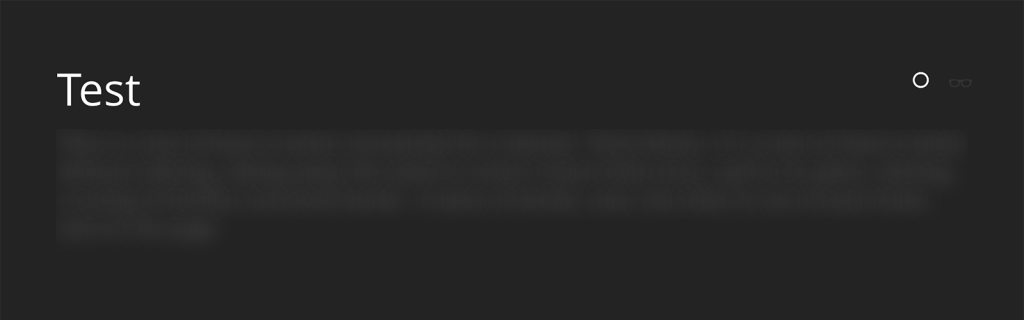
The clever part of Blindwrite, however, is that when you start typing, your words are hidden. You can’t see what you’re typing – there’s a bit of a white blur, but that’s it.
I hope you can see that any hope you have of editing your work on the fly is instantly gone.**
Whilst this continuous blank page could be even more scary than usual, it’s also suprisingly freeing.
By removing our ability to skim over what we’ve already written, we can’t make any changes. We also can’t be discouraged by how little we’ve written – or perhaps by how little sense what we’ve written makes!
We have but one choice: Keep writing.
By removing our other choices, all we can do is tap away at the keyboard. Whilst our inner-editor cries itself to sleep, the minutes count down as our word count goes up.
The inevitable edit
As soon as our allotted time is up, Blindwrite shows us what we’ve written.
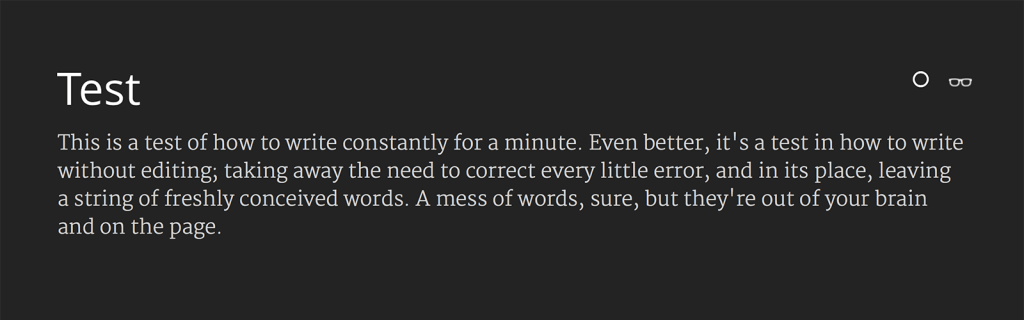
If you’re still in the flow, keep going! You can toggle your text back to hidden and continue!
When you’re done writing, and everything is in the light, I hope you’re pleasantly surprised by the amount you’ve done! But what about the quality?
Now is the time when you can start editing!
As you’ve written this church blog content blind, you’re going to find more spelling/grammar errors than usual; run a quick spellcheck first.
This stage of editing is where you can start to mould your content in to its final form. The difference with the blindwriting method is that it’s so much easier to do this when you’ve got something to shape! Your words are already on the page, and you can mould them however you like.
During this edit phase you will also want to think about images and formatting – probably SEO (Search Engine Optimisation) too, if that is part of your content strategy (and it should be!).
Get on with it!
I could write more on this, but I think it would get in the way of the driving force behind this post. Get your words down on to the page, as quickly as possible. Only after this is done should you think about polishing your content through editing.
Hold the press
I do however, have one last writing reminder before we finish. And it’s one of those annoying fail to plan clichés…
It’s really important to have an idea of where your post is going, before you start writing.
For a topic you’re enthusiastic about, it’s very easy to dive in and start blurting out your thoughts – and sometimes this is a good thing! However, a vital step in creating content is thinking about the intended outcome.
If you don’t have an aim in mind when you start to write your church blog post, the chances are your readers will find your content just as aimless. Decide on what you’re trying to get across – what are you trying to persuade your blog reader to do, think or feel?
Your aim will help to keep you on topic as a writer, and will help to keep your reader engaged.
Furthermore, jotting down a rough outline can be a really helpful way to formulate the content in your mind. Just a few bullet points of the main ideas or sections will be enough. Do this on paper so that you’re not tempted to check your email when switching to another app!
This outline will help you in the editing stage, as well as when you’re writing.
Get back to me!
This may not work for everyone, but if you’ve ever found it difficult to finish a piece of writing, you’ve got nothing to lose.
Give it a go, and let me know how you get on!
**Up until the double asterisk, the blog post you just read was written with Blindwrite. Why, you may ask, did I stop there?
As it turns out, I learned a valuable lesson here – self-editing isn’t the only distraction that may come your way when writing blog content.
When I wrote the first part of this post, I made quick progress with the tool – I wrote freely and without distraction. I definitely made some errors, not least in spelling and phrasing, but overall, the words flowed pretty easily. This came to a quick halt, however, when I was interrupted by the arrival of the first of the attendees of the ChurchTrain session that was due to happen that day!
I had a bit of spare time before the training started, so I grabbed it – but as soon as an external factor disrupted my flow, it suddenly became very hard to pick up where I left off. When I was alone again, just a minute later, I wasn’t able to see the last thing I’d written. I had a rough idea where I’d got up to, as I had outlined a basic flow for the post, so I was able to get back to writing.
The point is this – Blindwriting will solve some of your distraction problems, but not all of them. It should go without saying that simple steps such as turning off notifications (maybe even your Wifi) is a quick win when it comes to eliminating potential distractions.
If you’re writing in an environment where you’re likely to get interrupted, you’re going to get distracted. When you do, using tools such as this can actually set you back, as your flow can’t continue from where it left off. In this case, you may need to rethink your chosen working space!
Agree – editing is a great excuse to not write. (Thesarus is even worse!) Great advice Joe! I will remind myself at the appropriate time 🙂