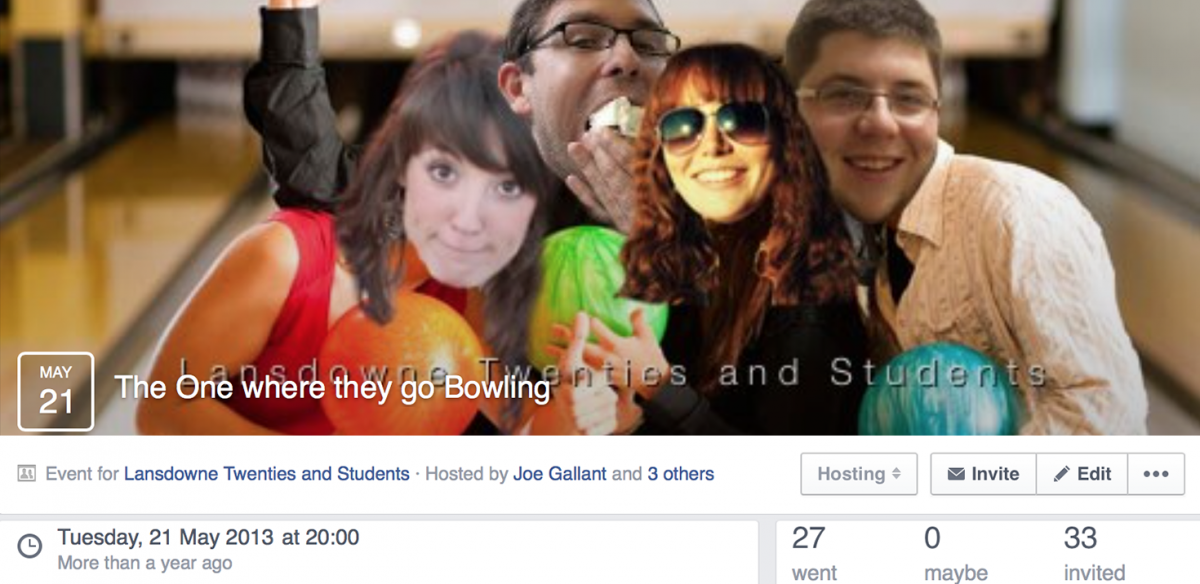
“Why don’t we post our upcoming event as an event on Facebook? Oh, we only have 3 people ‘attending’, but I know more people than that are coming…” Sound familiar?
This blog post is as much for ministry leaders as it is for those more formally involved with church communications.
Other advantages include mini surveys to get responses from your attendees, and the ability to add photos and links to get your church members excited about the occasion. Used well, events on Facebook are brilliant, but used poorly, they won’t add anything to your invitation campaign – in fact they may even be hurting it.
Picture the scene – story time! You (or just as likely, someone from the ministry in question) make an event for the ladies Bible study – a meeting which usually gets 10-15 people. The hope is that by publicising the study on social media, you can achieve three things:
- Remind your regulars of when and where the event is happening
- Encourage or persuade those within your church to attend for the first time
- Reach those outside of your church who may be interested in coming
Now, all of these are great aims, and proper use of your social networks can, of course, help to achieve these – but it doesn’t always work, does it?
The Problem
Back to your event; you know that usual attendance is around 15, and you’d love it if closer to 30 people showed up. There are plenty of women in the church who would benefit, as well as several of your non-church attending friends on Facebook whom you think would be interested. Your Facebook event is set up with the right date and time, the correct location (with a map – thanks Facebook!) and even a link to your church website for more information. You’ve nailed it so far!
Alas, that all important ‘attending’ section only has 3 names in it.
And one of them’s yours.
Now you know that you’re still likely to get your 15 people turn up, but the negative of this affects those who you wouldn’t usually expect to see – think about it, would you want to show up at an event as one of only 4 people, not necessarily knowing any of the other three? Obviously, this is hypothetical, but your invitee isn’t aware of how many people will actually be there: all they see is that big ‘3 people are attending this event.’
That all important ‘attending’ section only has 3 names in it.
And one of them’s yours.
So how to solve this frustration? I’m going to tell you how to improve your use of Facebook events, and the best part is it’s simple; we just have to use our favourite word and communicate! I don’t offer a money back promise – it would be a bit strange unless you’ve already paid me – but I as-near-to guarantee that this simple process will greatly help you achieve the aims set out above.
The Solution
Right, here it comes, the top tip, with a warning – this will take some effort. Don’t worry, if you’re worried about this, I give some tips at the end of the post for how to share it around.
So, here is the tip – talk to people. Talk!
You need to be inviting people through discussion. Literally, message people (yes, individually) and ask them whether they are coming to the event. Do this even for those who are there every time. For these regulars, if nothing else, it’ll serve as a reminder, but here’s the key second step – ask your contact if they wouldn’t mind clicking the ‘attending’ button on the Facebook event. To make this even easier for them, give them a link to click, by pasting the event’s URL.
Suddenly, once your regulars have signed up and the number of ‘Facebook attendees’ has grown, the event won’t seem quite as daunting to those first-timers. Now when you approach them, you can include a link to the event, and they’ll see that they won’t be quite so ‘on show’ amongst a larger group of people. And of course, once you’ve spoken with these guys, and perhaps even persuaded them to come along, do the same – ask them to click attending! The more the merrier!
Now, hopefully this will increase the number of ‘Facebook attendees’ you have, which will hopefully encourage more people to come, and will in turn grow your ‘Facebook attendees’ etc. Moreover, this process is about starting discussions – your personal invite becomes the start of a discussion. This means you can continue the chat even if you get a negative response about the event.
Obviously, this takes a lot of effort – messaging each person individually – but this initial step doesn’t take too long. Time for some tips!
- It’s ok to copy and paste the main body of your message, but make sure it’s personalised. Using the contacts name is a minimum!
- First, introduce yourself if you’re not close to the recipient, or if you haven’t had contact for a while.
- It’s a good idea to vary the tone – if you’re inviting your best friend you probably won’t use exactly the same text as if you’re inviting someone you’ve never personally met.
- Sometimes it may be natural to start with less of a ‘prepared’ message – try ‘Hey, are you busy Saturday’ if you feel you have the right kind of relationship with the contact. If they say ‘yes’ the conversation will continue in an organic fashion, and if they say ‘no’ you won’t have put invited them to something they’ll immediately decline
- If the answer is a ‘no’, ask if they’d mind you letting them know about your next event – I’ve never had someone decline this, and it’ll completely change your approach the next time you want to invite them
- Don’t forget to include the URL where appropriate, and to directly ask them to click attending on the event page
I’ve used this approach many times, and it’s made a noticeable difference – a big one! When heading up a Twenties and Students ministry, we used this approach for almost every event. Though it takes time, it not only increases event attendance, but it helps to ensure that every member of your community feels included, and remembered – this is a very powerful thing. Just think how many times Jesus noticed, and reached out to, those who were on the very edges of society – the ones that may not have responded to one-click-invite-to-everyone on Facebook for fear they’d feel just as sidelined if they decided to turn up.
Great, so we’ve covered the details of the message, as well as the benefits for this method. But often, depending on the size of the event or ministry group, this can be too much for one person to do – so how to make it work?
The obvious solution is to spread the load – splitting the list of people to invite between several people makes it a lot quicker, and has the added advantage of different people getting to know the members of the group. Another benefit is that if several people are doing the inviting, the ministry leader is seen as less of a ‘please, please come to my event’ kind of person, and is less removed from being a group member themselves – the communication is decentralised, so when a ‘more official’ announcement needs to be made, it comes with the authority of a ministry leader, and not just ‘yet another message’ from them.

This was our way of organising invites for the Twenties and Students – don’t worry if it looks confusing!
To spread the work like this, you need to be organised – the way we made this work was to have a shared document with the invitees’ names in it, kept up to date when new people join the church or attend your events. The sheet will need a column for each event, so that you can mark off each person as you invite them, avoiding doubling up (especially important if you’re both inviting using the same copied text!). Using Google Sheets, or another online tool, is a great resource for this as it’s updated live, so the document will always be up to date. You can read my post about church teams sharing resources for some tips on using this sort of shared software.
Bonus: here’s a link to a simple Google sheet inviting template that you can download and use for your own events!

Download your free template now – click the picture to download!
There are options to click and select from options such as ‘Invited, Coming, Not Coming, Follow Up’ and a count above each event column to give you a quick record of how many people are coming.
Hint: Click ‘File’>’Download As’>’Excel’ to be able to edit the template.
According to our FB page we have 1 person attending our Charity Autumn Fayre! In reality we expect around 200 attendees. Some useful tips here – thanks!
[…] Stop Failing Facebook Events – Intelligent Inviting for Church Events Nice! – Submitted by @jgchurchcomms […]